
Lightroom Presets from PHLEARN: Free and PRO
Lightroom presets built by Aaron Nace for Lightroom Classic, Lightroom desktop and Lightroom mobile: portrait, wedding, newborn, food, product, travel, landscape, retro and seasonal looks. More than 60 packs of 10 presets, each with sample images and an install guide, starting with a free sample pack.
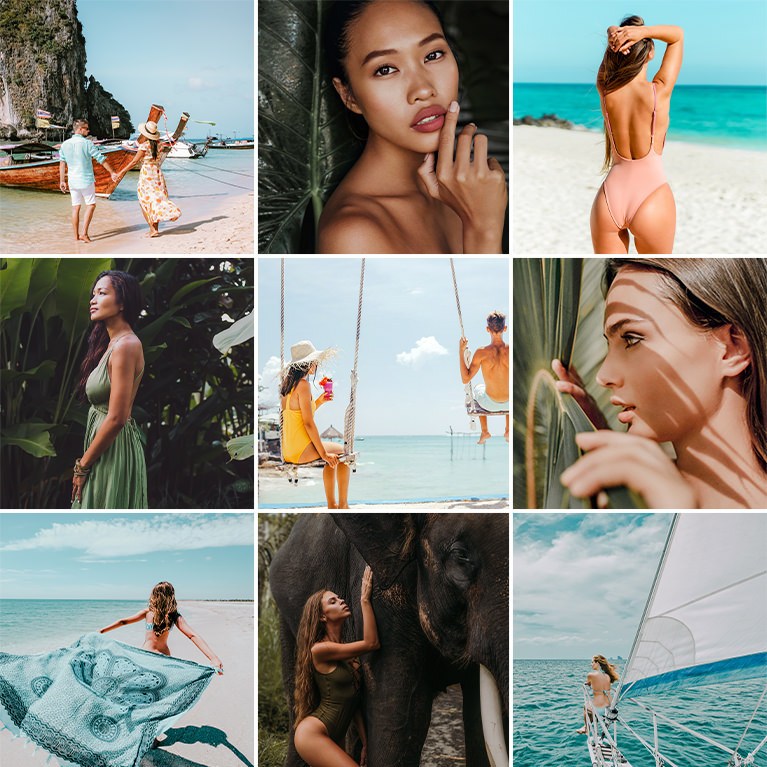
Lift shadows, tame strong greens and keep skin bright for beaches, palms and travel with 10 Tropical Lightroom Presets for Lightroom Classic and mobile.
10 Lightroom Presets | PDF Install Guide

Raise vibrance, brighten skin and open shadows so bold clothing and walls stand out with 10 Vibrant Lightroom Presets for Lightroom Classic and mobile.
10 Lightroom Presets | PDF Install Guide
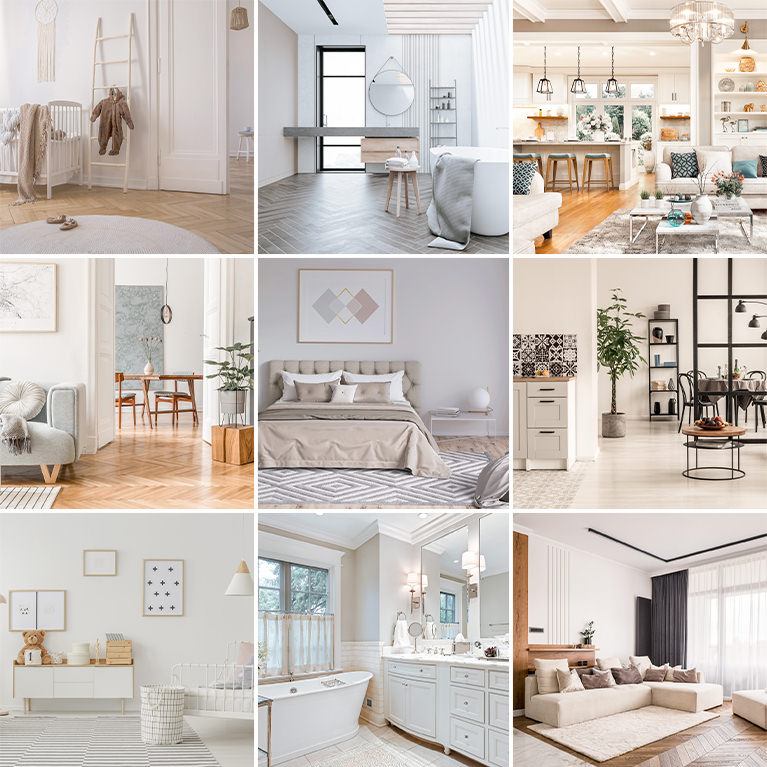
Open up dark corners, hold detail in bright windows and set wall and wood color with 10 Real Estate Lightroom Presets for Lightroom Classic and mobile.
10 Lightroom Presets | PDF Install Guide
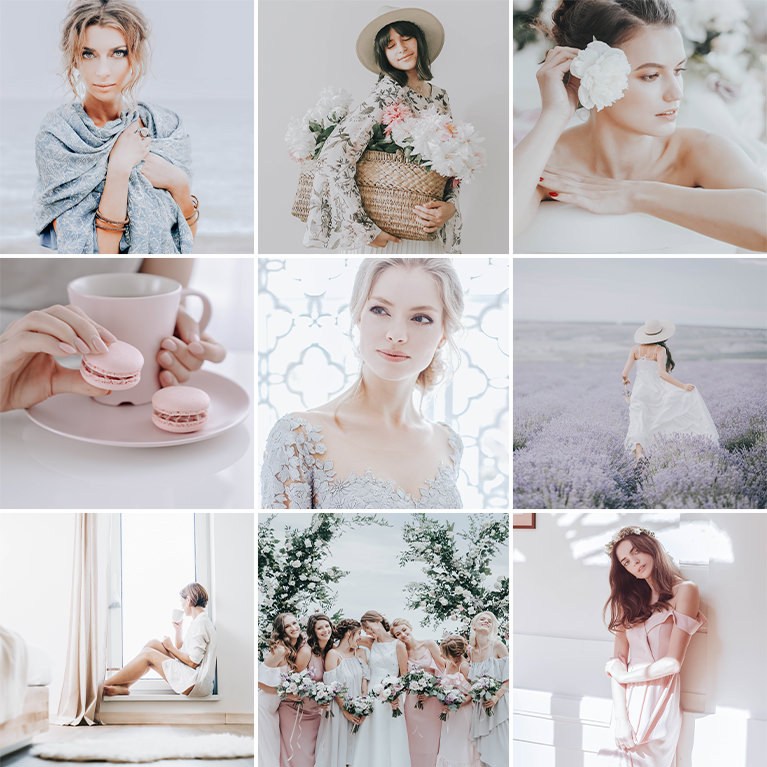
Add muted color and softened highlights for a calm, airy feel with 10 Neutral Airy Lightroom Presets. Works in Lightroom Classic and Lightroom Mobile.
10 Lightroom Presets | PDF Install Guide
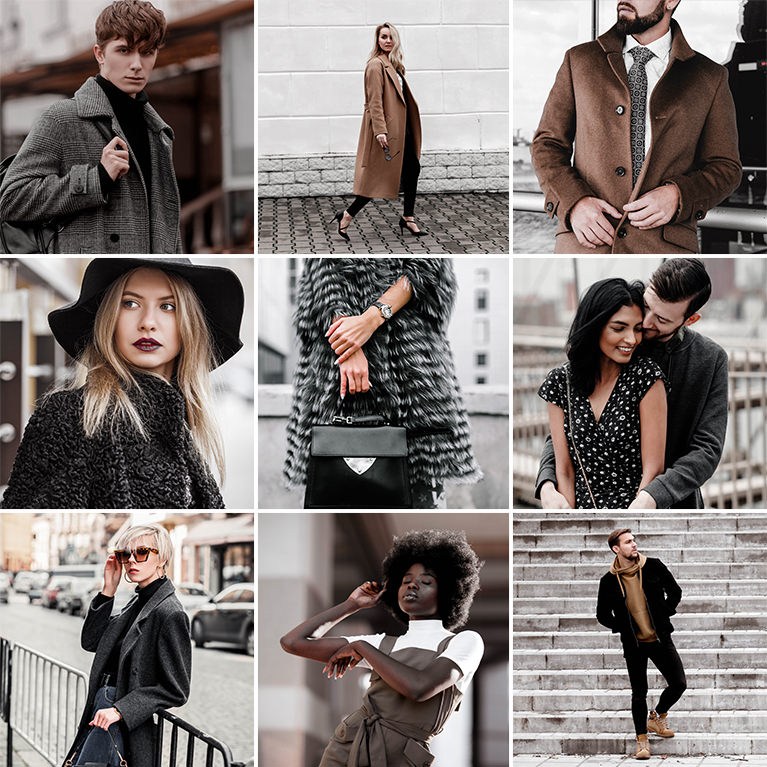
Drain greens, blues and purples toward gray while skin keeps its warmth with 10 Street Photography Lightroom Presets for Lightroom Classic and mobile.
10 Lightroom Presets | PDF Install Guide

Lift the blacks and soften strong color into pinks, creams and pale blues with 10 Pastel Lightroom Presets for Lightroom Classic and Lightroom mobile.
10 Lightroom Presets | PDF Install Guide
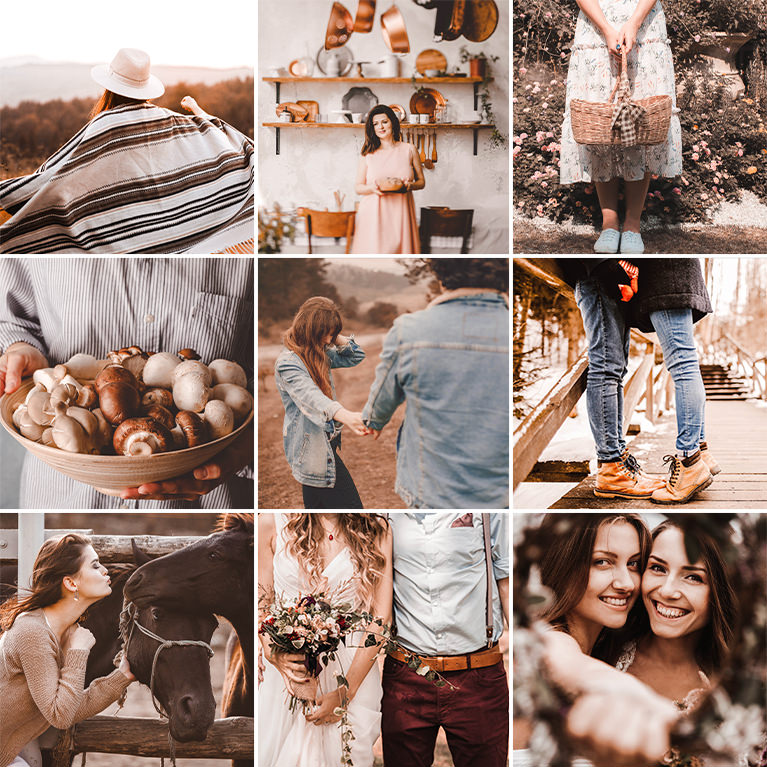
Warm the white balance and turn greens and yellows toward olive, rust and clay with 10 Earth Tone Lightroom Presets for Lightroom Classic and mobile.
10 Lightroom Presets | PDF Install Guide
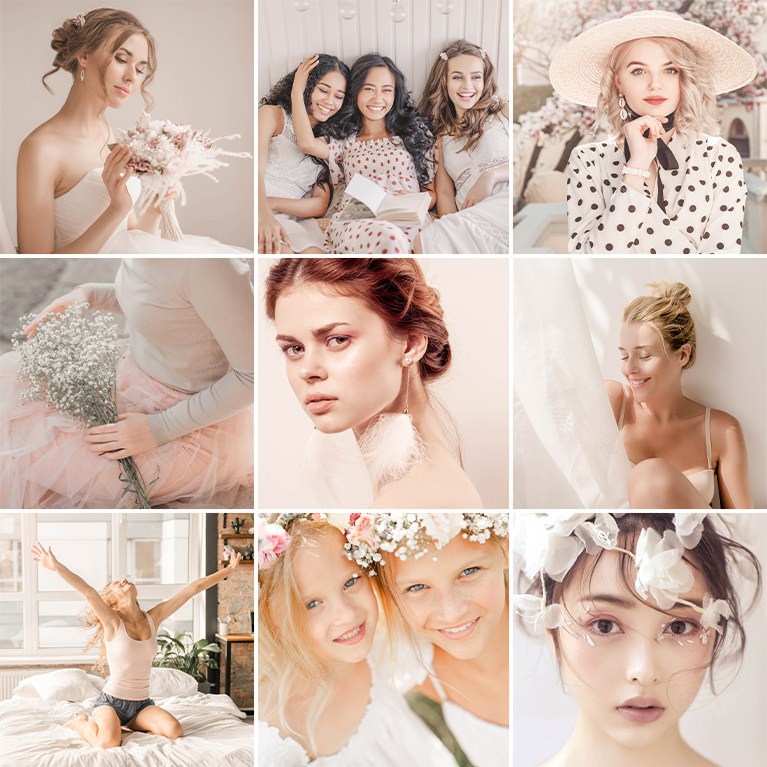
Warm skin, lift shadows and soften bright highlights for a light, golden look with 10 Honey Lightroom Presets for Lightroom Classic and mobile.
10 Lightroom Presets | PDF Install Guide

Darken the shadows, quiet bright greens and keep skin light with 10 Dark and Moody Lightroom Presets for a muted look in Lightroom Classic and mobile.
10 Lightroom Presets | PDF Install Guide

Lift shadows and enhance natural light so any room looks bright and open with 10 Indoor Lightroom Presets for interiors. For Lightroom Classic and Mobile.
10 Lightroom Presets | PDF Install Guide
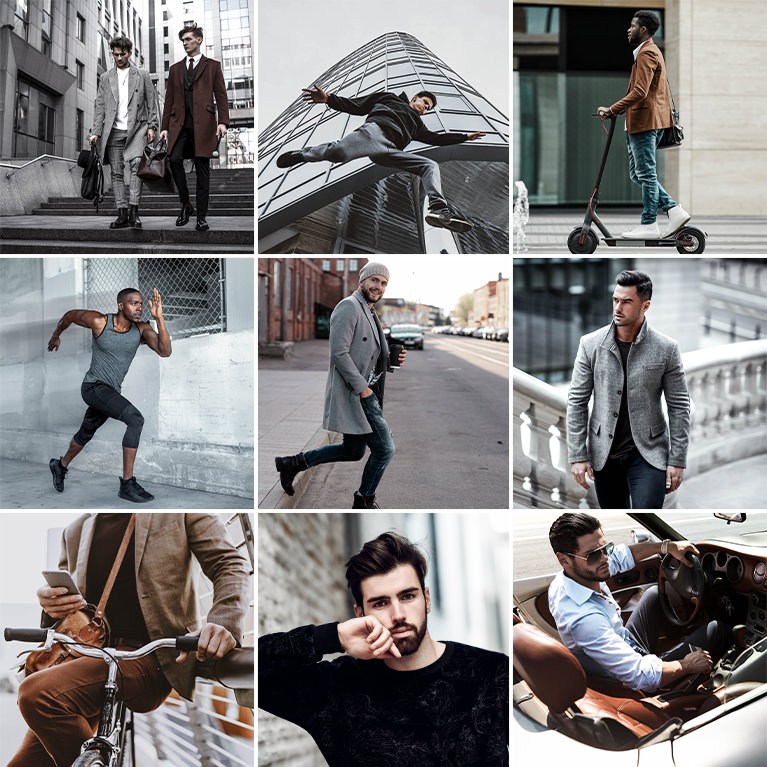
Mute colors, add punchy contrast and cool down images for a subtle, dramatic look with 10 Male Blogger Lightroom Presets for Lightroom Classic and Mobile.
10 Lightroom Presets | PDF Install Guide
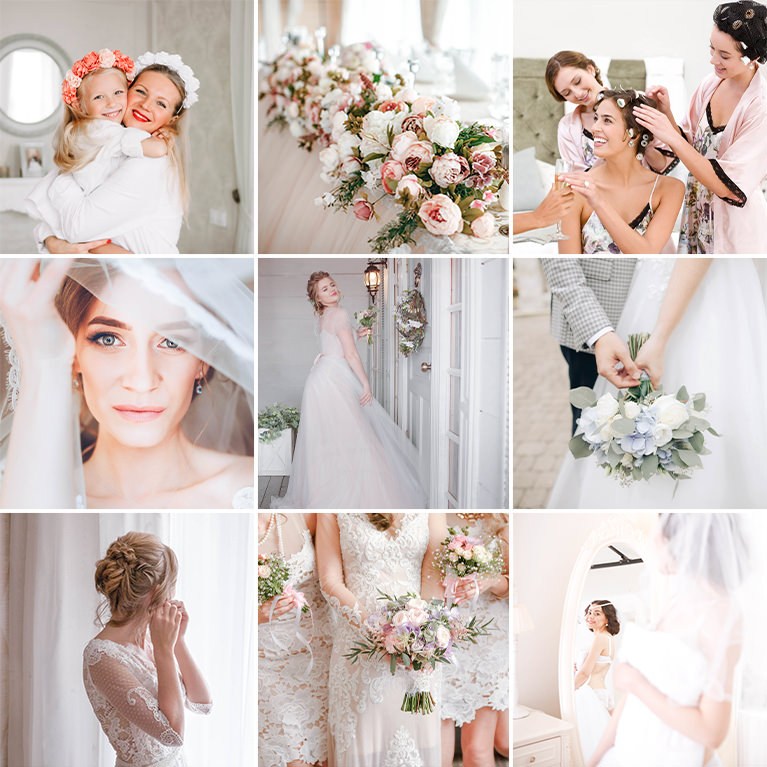
Give wedding photos a bright, clean and timeless feel with 10 Airy Wedding Lightroom Presets that add soft white tones. For Lightroom Classic and Mobile.
10 Lightroom Presets | PDF Install Guide
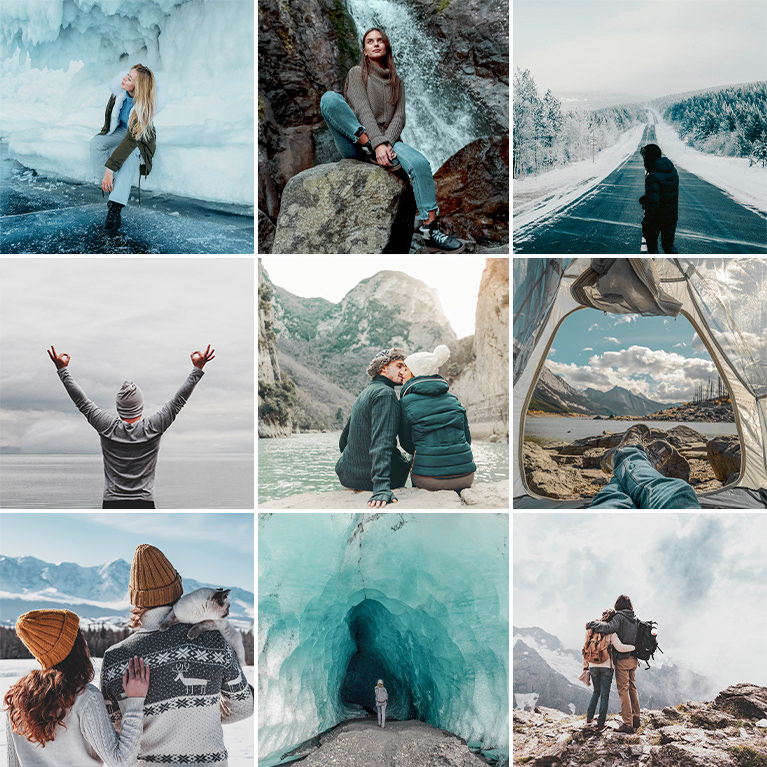
Open up shadows, calm strong blues and turn skies and water toward soft teal with 10 Nature Lightroom Presets for Lightroom Classic and mobile.
10 Lightroom Presets | PDF Install Guide
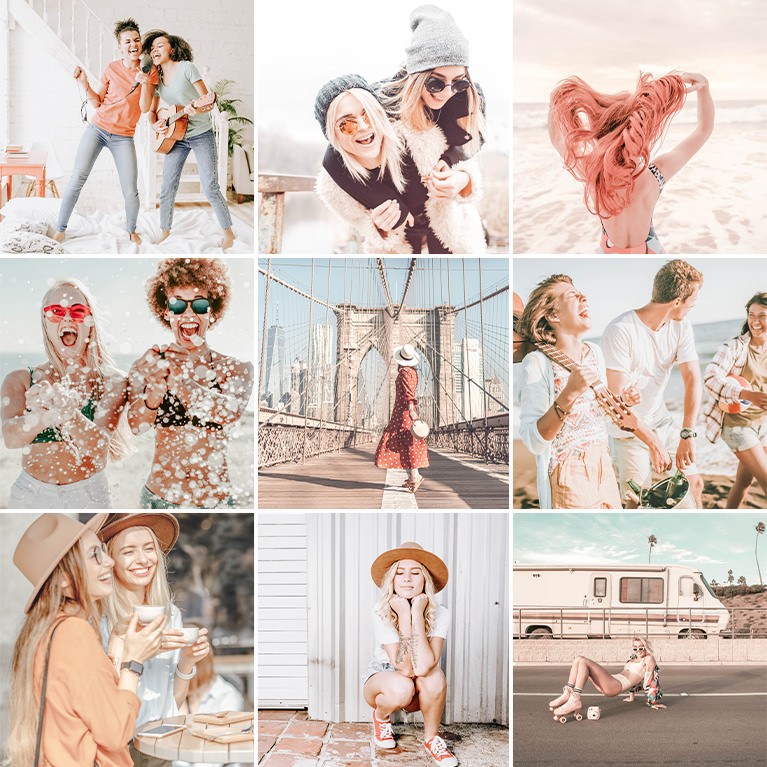
Warm the light, open the shadows and soften color for a bright, creamy feel with 10 Free Float Lightroom Presets for Lightroom Classic and mobile.
10 Lightroom Presets | PDF Install Guide

Give photos a free-spirited feel with creamy skin, warm color and a matte finish using 10 Bohemian Lightroom Presets for Lightroom Classic and Mobile.
10 Lightroom Presets | PDF Install Guide

Add bright whites and soft springtime pastels to your photos with 10 Spring Lightroom Presets. Works on RAW and JPEG in Lightroom Classic and Mobile.
10 Lightroom Presets | PDF Install Guide

Brighten food and drink photos, open shadows and tone down yellow casts with 10 Minimal Food Lightroom Presets for Lightroom Classic and mobile.
10 Lightroom Presets | PDF Install Guide
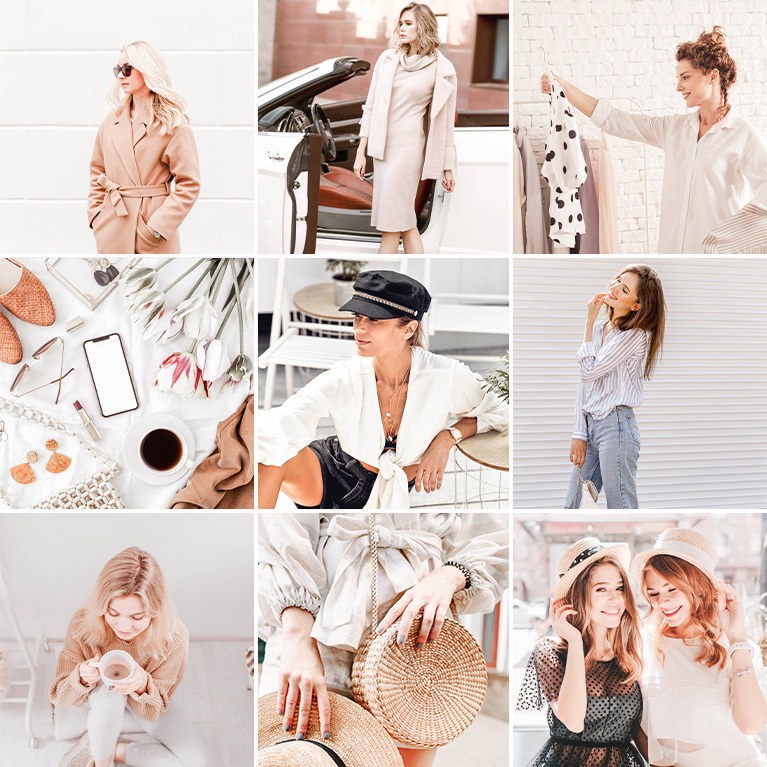
Lift shadows, clean up whites and soften color for blog and social posts with 10 Minimal Blogger Lightroom Presets for Lightroom Classic and mobile.
10 Lightroom Presets | PDF Install Guide

Raise exposure, open shadows and keep skin warm and light in photos of kids and parents with 10 Family Lightroom Presets for Lightroom Classic and mobile.
10 Lightroom Presets | PDF Install Guide

Lift shadows, ease contrast and keep color close to real life with light toning in 10 Neutral Tone Lightroom Presets for Lightroom Classic and mobile.
10 Lightroom Presets | PDF Install Guide

Brighten sand and sky, calm hot highlights and keep tans from turning orange with 10 Beach Lightroom Presets for Lightroom Classic and mobile.
10 Lightroom Presets | PDF Install Guide

Make snowy whites pop while keeping skin warm and natural with 10 Winter Lightroom Presets. Add crisp, icy color in Lightroom Classic and Lightroom Mobile.
10 Lightroom Presets | PDF Install Guide

Brighten whites, open shadows and enrich orange tones in sunrise and sunset photos with 10 Sunset Lightroom Presets for Lightroom Classic and mobile.
10 Lightroom Presets | PDF Install Guide

Open the shadows and soften the light for bright, gentle skin and clean whites with 10 Moms and Babies Lightroom Presets for Lightroom Classic and mobile.
10 Lightroom Presets | PDF Install Guide

Deepen shadows, quiet saturation and warm the light for a film-print feel with 10 Vibrant Blacks Lightroom Presets for Lightroom Classic and mobile.
10 Lightroom Presets | PDF Install Guide
What’s in Each Pack
Every pack is a set of 10 Lightroom presets built around one look, with the photos Aaron built them on, so you can see what each preset does before you use it on your own pictures.
- 10 presets per pack. .xmp files for Lightroom Classic and Lightroom on the desktop, and .dng files for Lightroom on your phone.
- 10 sample images. The photos the presets were made on, so you can compare your result with the original look.
- A PDF install guide. Step-by-step installation for Lightroom Classic, Lightroom desktop and Lightroom mobile.
- A look for every kind of shoot. Portraits, weddings, newborn and maternity, pets, food and product, travel and landscape, matte and retro, and seasonal looks for summer, fall, winter and Halloween.
Where to Start
Download the free Lightroom Presets Sample Pack and follow How to Install Lightroom Presets, which takes about two minutes. Then watch How to Create Presets in Lightroom Classic (and Import Preset Packs) to see what a preset changes and how to save your own. Once you know the looks you like, the PRO packs give you ten more of each.
Free and PRO Presets
The sample pack is free with a PHLEARN account and holds 10 complete presets, not cut-down versions. The PRO packs are included with a PHLEARN PRO membership, along with every LUT, Photoshop action and brush, and every PRO tutorial on the site.
Frequently Asked Questions
Do the presets work in Lightroom mobile?
Yes. Every pack includes .dng files for the Lightroom app on iPhone and Android, plus .xmp files for Lightroom Classic and Lightroom on the desktop. Presets you add to Lightroom on the desktop also sync to the mobile app.
Which version of Lightroom do I need?
Lightroom Classic 7.3 or newer, a current version of Lightroom on the desktop, or the Lightroom mobile app. Versions of Lightroom Classic before 7.3 use an older preset format.
Why does a preset look different on my photo?
A preset applies the same settings to every photo, but every photo starts with different light and color. Apply the preset, then fine-tune Exposure and White Balance until your photo looks right. Presets work best on RAW files, which have the most room to adjust.
Where to Go Next
Presets are the fastest way into a look. To build your own, the Lightroom tutorials and Color & Tone teach every adjustment a preset contains. For the same one-click color in Photoshop and video editors, see LUTs, and for layered Photoshop techniques, Photoshop Actions.
Try the Free Presets
10 Lightroom presets and 10 sample images, free with a PHLEARN account.
On This Page
PHLEARN PRO
Every Lightroom preset pack here, plus every LUT, action, brush and PRO tutorial.