
AI Tutorials for Photoshop, Lightroom & Firefly
Learn the AI tools in Photoshop, Lightroom, and Adobe Firefly: Generative Fill and Expand, Firefly models and partner models like Nano Banana, Harmonize, Generative Upscale, Reference Image, AI masking, Denoise, and assisted culling. About 90 free and PRO video tutorials from Aaron Nace on what each tool does well and where it falls short.

How to use Lens Blur in Lightroom Classic: apply it, work the controls, read the depth visualization, and refine by hand where the depth map gets it wrong.
Lightroom | AI & Generative Tools | Easy | 15 mins | 1 video
4 Sample Images | 1 PDF Guide

How to swap faces in Photoshop: use frames from the same shoot, match the scale and angle, blend with a layer mask, then fix the hard edges with Generative Fill.
Photoshop | AI & Generative Tools | Medium | 30 mins | 1 video
2 Sample Images | 1 Sample PSD | 1 PDF Guide

Photoshop 2023 has some great new features! This tutorial will show you how to use the Gradient Tool, Remove Tool, Contextual Task Bar, and Adjustment Presets more efficiently. You’ll also learn how to use the Generative Fill tool to create stunning images.
Photoshop | New Features | Medium | 1.5 hours
12 Sample Images | 8 Sample PSD

How to use Generative Fill in Photoshop: the three things it does, why the selection matters more than the prompt, and what it still cannot do.
Photoshop | AI & Generative Tools | Easy | 30 mins | 1 video
6 Sample Images | 1 PDF Guide

Create stunning composite images with AI-generated backgrounds and portraits using our step-by-step tutorial. Join Mid Journey’s Discord server to generate custom backgrounds and merge images seamlessly in Photoshop.
Photoshop | AI & Generative Tools | Medium | 15 mins | 1 video
1 PDF Guide
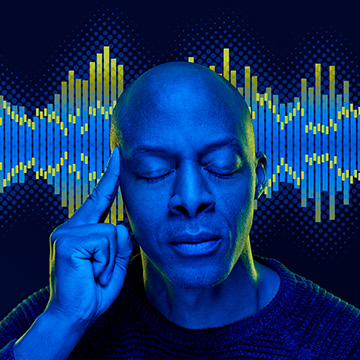
Learn how to blend graphics and portraits seamlessly. Upscale graphics with Super Zoom, color match with Gradient Maps, and isolate subjects with Select tools.
Photoshop | AI & Generative Tools | Easy | 1 video
1 PDF Guide

Photo restoration in Photoshop with neural filters: clear dust and scratches with one switch, try Colorize on the faded color, then finish with Camera Raw masks.
Photoshop | AI & Generative Tools | Medium | 15 mins | 1 video
2 Sample Images | 1 Sample PSD | 1 PDF Guide
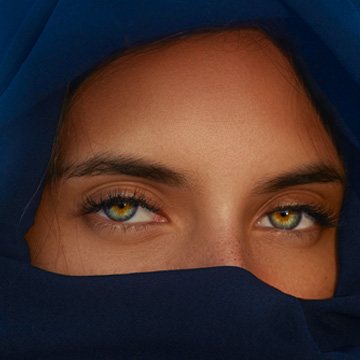
How to use AI masking in Photoshop: let Camera Raw select the iris, the face skin, then subtract the face from Select Subject to isolate clothing.
Photoshop | AI & Generative Tools | Medium | 15 mins | 1 video
1 Sample Image | 1 Sample PSD | 1 PDF Guide

Learn powerful masking tools in Lightroom Classic to bring the most out of any photo. Edit & Sync Multiple Photos – Learn to Add, Subtract & Intersect Masks – NEW AI Powered Masks
Lightroom | Selections & Masking | Medium | 1.5 hours
8 Sample Images
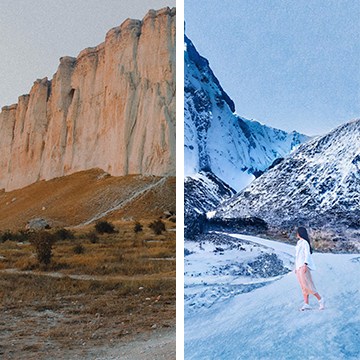
Join us as we test out the Landscape Mixer Neural Filter new in Photoshop 2022. Completely transform your landscape photos in just a few clicks!
Photoshop | AI & Generative Tools | Easy | 15 mins | 1 video
1 Sample Image | 1 Sample PSD | 1 PDF Guide

Learn how to use the new Style Transfer Neural Filter in Photoshop to apply eye-catching art styles to your photos in just a few clicks.
Sample Image & PSD Included
Photoshop | AI & Generative Tools | Easy | 15 mins | 1 video
1 Sample Image | 1 Sample PSD | 1 PDF Guide
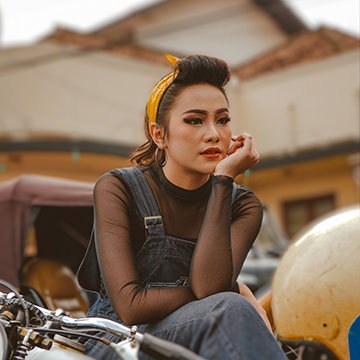
Learn how to blur any background in just a few clicks using Photoshop’s new Depth Blur Neural Filter!
Sample Image & PSD Included

Noisy photos? No problem! Join as we test a variety of noise reduction tools and programs.
Sample Images & PSD Included
Lightroom, Photoshop | Tools & Techniques | Easy | 15 mins | 1 video
7 Sample Images | 1 Sample PSD | 1 PDF Guide

Learn how to use the Face-Aware Liquify Tool and Smart Portrait Neural Filters to make subtle adjustments to facial features and even facial expressions!
Sample Image Included

Learn how to use the Super Resolution feature in Adobe Camera RAW and Photoshop 2021 to enhance the resolution of any image!
Sample Image Included

Learn how to change any facial expression into a smile with Smart Portrait Neural Filters in Photoshop!
Sample Image Included
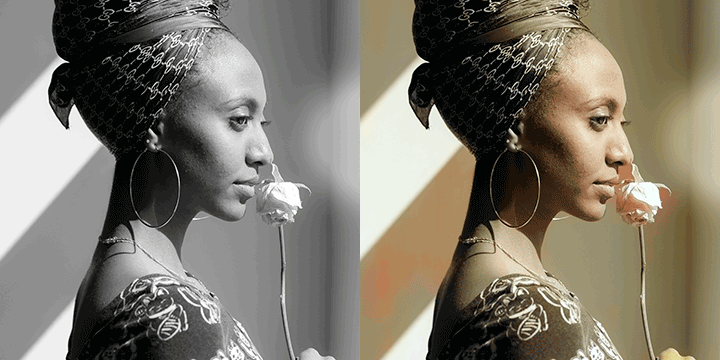
Instantly colorize any black and white photo with the Colorize Neural Filter in Photoshop.
Sample Images Included

Instantly add depth and atmosphere to any photo with the Depth-Aware Haze Neural Filter in Photoshop.
Sample Images Included
What You’ll Learn
AI tools change every few months, and not every update is worth using. These tutorials test each feature on real photos and show how to combine it with the classic techniques that still give the best results.
- Generative Fill and Expand. Adding, removing, and replacing anything, extending a canvas, and getting usable results instead of random ones.
- Firefly and partner models. Firefly 5, Nano Banana, and Flux in Photoshop, Firefly Boards, and how generative credits work.
- Compositing with AI. Harmonize to match light and color, Reference Image, and Rotate Object for believable composites.
- AI masking and editing. Select Subject, Camera Raw and Lightroom AI masks, Denoise, Lens Blur, and the AI slider.
- Speed in Lightroom. Assisted culling, syncing AI masks across a shoot, and Generative Remove.
Where to Start
Start with How Generative Fill Selections Work in Photoshop, the first day of 10 Days of AI, then The Ultimate Guide to Generative Credits so you know what each generation costs. The PRO course The Ultimate Guide to AI in Photoshop goes deeper on real client-style projects.
Free and PRO Tutorials
Free tutorials are complete lessons, not previews. PRO tutorials go deeper and longer, and they include the sample images, RAW files, actions, and presets used in the lesson so you can follow along on the exact same file. The PRO courses include the original photos, so you can compare your generations to Aaron’s. A PHLEARN PRO membership unlocks every PRO tutorial on the site, including all of the ones in this category.
Frequently Asked Questions
Is Generative Fill free to use?
Generative Fill uses generative credits included with Creative Cloud plans. Standard features use fewer credits than premium partner models; the generative credits tutorial explains how many each feature costs.
Will AI replace manual editing in Photoshop?
Not yet. AI is fast for removing and extending, but hair, edges, skin, and exact color still need manual tools. The tutorials here show where to combine both.
Which AI features are in Lightroom?
Lightroom has AI masking for subjects, skies, and people, Denoise, Lens Blur, Generative Remove, and assisted culling for picking the best shots.
Where to Go Next
Follow AI into Object Removal & Cleanup and Compositing, where it saves the most time. For the newest releases as they ship, see New Features.
10 Days of AI
A free, day-by-day series on every major AI tool in Photoshop and Lightroom.
On This Page
PHLEARN PRO
Every PRO tutorial in this category, with sample and RAW files, plus the full PRO library.