Photographer standing beside a model with elaborate updo hair and teal dress, with a reflector and softbox visible, from a behind-the-scenes lighting setup for a dramatic look
 

Find out what it took to achieve our Dark and Dramatic image in this behind the scenes episode.

Photography  |  Easy  |  15 mins  |  1 video

Woman in a pale blue dress sitting on the ground surrounded by swirling smoke and fog in a forest, illustrating tips for adding atmosphere to images
 

Today we’re doing another start to finish edit! This image was submitted by Stevie Keen.

Sample Images Included

Photoshop  |  Coloring  |  Easy  |  15 mins  |  1 video

Close-up portrait of a blonde woman with dramatic eye makeup lit in warm golden tones, from a behind-the-scenes 'The Crane' photo shoot
 

See the BTS footage of our latest portrait, as well as a sneak peek of the other shot we did that day! This image was inspired by the crane and is part of a larger series we are doing on bird species.
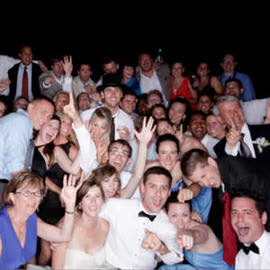
Large group of wedding guests posing together and waving for the camera, illustrating how to make a movie out of still images
 

Today I’m going to show you how to create a movie out of still images, and in this case, how to make a movie out of photos from a photobooth.

Photoshop  |  Video Animation Tutorials  |  Easy  |  15 mins  |  1 video
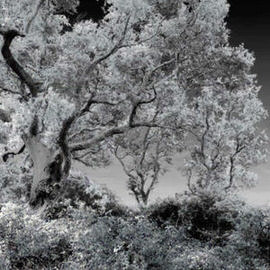
Black-and-white infrared photo of trees with glowing white foliage against a dark sky, illustrating how to convert images to infrared
 

There are a few different ways to get these effects, you can shoot with IR film and a red Filter, convert a digital camera, OR get the same type of look in post.

Man in dark clothing dancing dramatically with a woman in a flowing red dress against a warm gradient backdrop, illustrating tips for changing lighting in Photoshop
 

We are going to focus on what to edit in Photoshop. The first thing I noticed when looking at this photo is that the paintings in the Background are a little distracting.

Photoshop  |  Coloring  |  Easy  |  15 mins  |  1 video

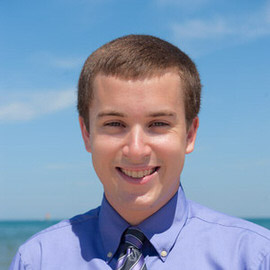
Smiling young man in a purple shirt and tie outdoors against a blue sky, demonstrating how to remove shadows underneath the eyes
 

How to fix the shadows underneath people’s eyes.

Photoshop  |  Retouching  |  Easy  |  15 mins  |  1 video
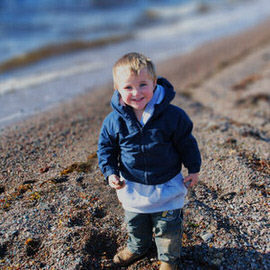
Smiling toddler in a blue jacket standing on a pebbly beach with a blurred background, demonstrating shallow depth of field
 

In today’s episode we’re going to be editing an image taken by Angela of the Phlearn team.

Woman with a flower in her hair holding an orange floral bouquet outdoors, illustrating a comprehensive tutorial on the Curves tool
 

We’re going to talk about everything that there is to know about Curves, and also we’re going to show you some cool ways to Color your images using Curves.
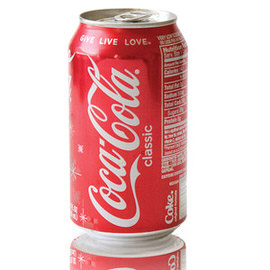
Red soda can with a mirrored reflection beneath it on a white background, demonstrating how to create a hard reflection in Photoshop
 

Giving objects a Reflection in post becomes a bit more of a difficult task when the bottom of the still life (in this case, a Coca-Cola can) is curved.
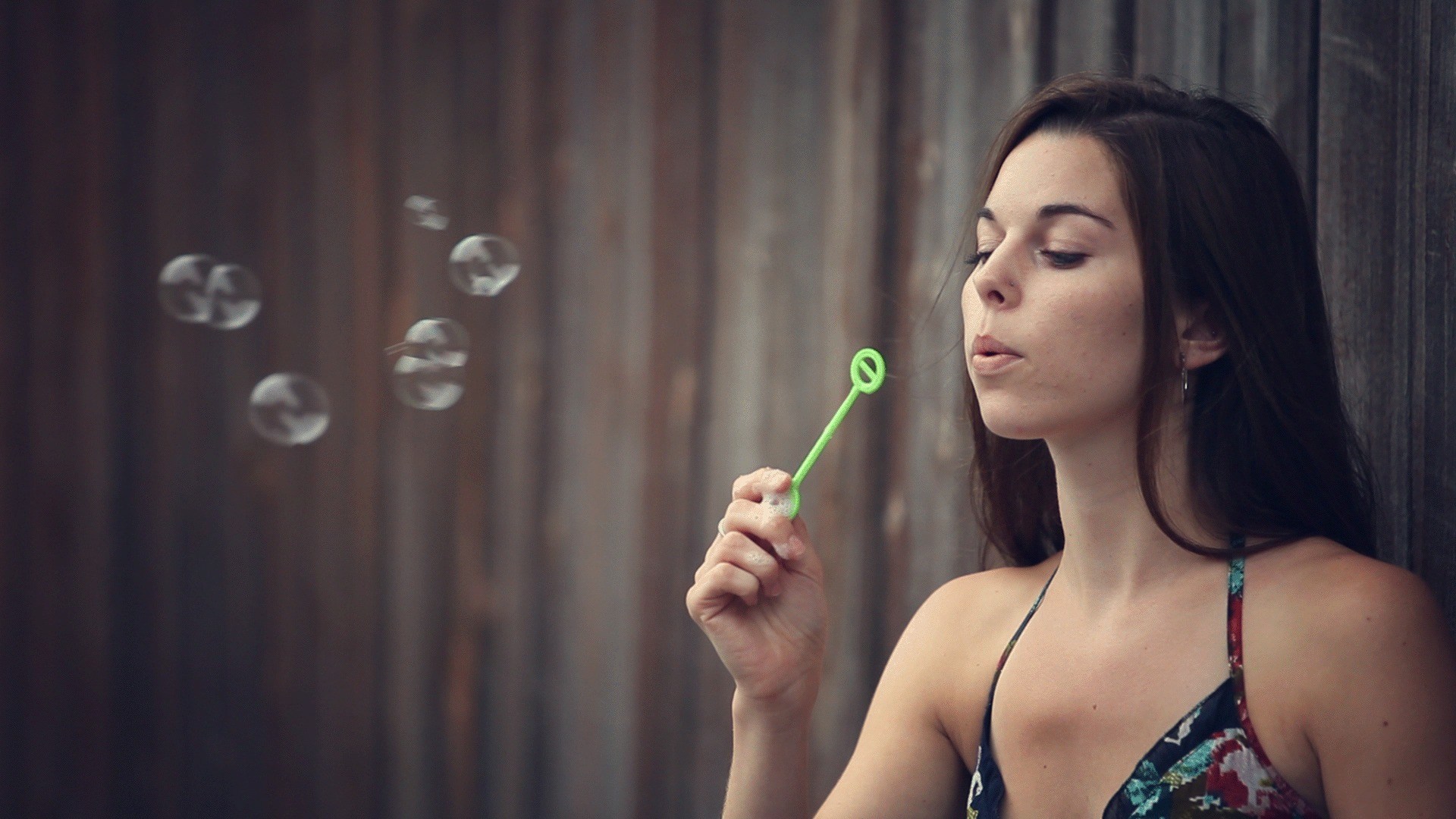
Woman blowing a stream of soap bubbles in front of a dark wooden wall
 

Today’s episode will cover everything you need to know about shooting for a cinemagraph, and tomorrow we’ll cover how to bring it all together in Photoshop!
Woman blowing soap bubbles with a wand against a wooden wall, part two of a tutorial on creating a cinemagraph in Photoshop
 

In yesterday’s episode we showed you everything you need to know for shooting video to be used in a cinemagraph, and today we’ll bring it all together in Photoshop!
Waterfront cityscape at dusk with warm lit buildings reflecting on calm water, illustrating tips for creating an awesome landscape photo
 

Today we work on a user submitted landscape image. We are going to add some lights and effects requested by Sam.

Before-and-after split of a hazy mountain landscape transformed into vivid green mountains with enhanced color, demonstrating landscape color adjustment
 

These will make the biggest Difference! Curves can be used to easily adjust Light Levels and Colors in your images.

Heineken beer bottle splashing with water and glowing green light against a dark background, part two of a tutorial on editing beer product photography in Photoshop
 

In this episode we’re going over how to Light a bottle of beer. This is great for brushing up on your product photography skills.

Heineken beer bottle splashing with water and glowing green light against a dark background, part two of a tutorial on editing beer product photography in Photoshop
 

Yesterday we showed you the photoshoot and how to light beer, and today we are showing you exactly what happens when you bring those photos into Photoshop.

Heineken beer bottle splashing with water and glowing green light against a dark background, part two of a tutorial on editing beer product photography in Photoshop
 

Today we are completing this beer image in Photoshop. We cover the Lighting Effects as well as adding the splashes around the beer. The trick when doing this sort of Composite is to know how much masking needs to be done.

Portrait of a young man in a dark coat and tie against a muted green backdrop, in the style of photographer Dan Winters
 

Dan Winters is a great photographer who produces gripping work. He has a way of pulling emotion out of his subjects that will leave you breathless. Today we look at one of his famous portraits of Tom Hanks, and try to reproduce it.

Close-up portrait of a woman with wet, textured hair and water droplets on her skin, from a behind-the-scenes 'Banished Mermaid' photo shoot
 

Today we go behind the scenes of our Photoshoot for the Banished Mermaid Pro tutorial. We ended up doing, what seems like, 3 individual photoshoots while we were all set up.

Woman with wild curly hair reaching out into blue light with sparkling particles, illustrating the power of modeling lights in a photo shoot
 

The advantage to using modeling lights as opposed to strobes is that you see exactly what you are going to get, there is not guesswork.

Woman's face viewed through a rain-streaked, fogged window lit with warm golden light, from a behind-the-scenes fashion portrait photo shoot
 

To create this fashion portrait we used a 3 Light setup and shot behind a pane of glass. To add a bit of Texture and interest to the glass we added baby oil (thicker than water) and lit it from behind.

Young boy standing in a dim alleyway looking at a large furry monster peeking around a building, from a behind-the-scenes 'Bakster' composite photo shoot
 

One of the largest challenges we had to overcome to bring this concept to life was to design and build the main character. Being a photographer, this did not come entirely naturally to me, so I had to pay extra attention to my goals as a creator.

Silhouetted figure holding a glowing lantern while standing in a foggy field at dusk, used to demonstrate reducing noise in an image
 

When you increase your ISO on a digital camera, your processor amplifies the signal it receives from the sensor to make it stronger, much like an amplifier on a stereo, it makes a quiet signal much louder.

Diver swimming underwater with sunbeams streaming down through the water, demonstrating how to add light flare and light rays in Photoshop
 

For adding Light rays to your image, make sure you first have an image that will properly support light coming through. You want to have an image that is either lit from the back or from the side.

Close-up of bright pink glossy lips biting a green iridescent beetle, from a behind-the-scenes 'Beetle Beauty' photo shoot
 

This shoot was inspired by Rankin’s amazing series of lips holding things like flowers. I have always thought scarab beetles were beautiful and this was the perfect opportunity to feature them in a photo.

Close-up black-and-white portrait of a woman's face with bright, glowing highlights on the skin, demonstrating how to create amazing highlights in Photoshop
 

In order to make the existing Highlights in this image stand out even more, first we make the Lights and Midtones of the image darker using a Levels Adjustment Layer.

Woman with red hair lit in dramatic red and blue tones holding a sparking object near her face, from a behind-the-scenes 'Light My Fire' photo shoot
 

Find out what it took to pull off this very complex composite!

Small figure in bright pink standing between the trunks of a large gnarled tree in a green park, illustrating how to make a subject stand out using color
 

We’ll be editing Jason’s image and showing you how to make your subject stand out better from the Background by using some simple Coloring techniques.

Profile portrait of a woman styled with faun-like curved horns and a fur wrap in dramatic dark lighting, from a behind-the-scenes 'Gods and Monsters' photo shoot
 

In this behind the scenes video you will learn how to set up lighting for a full length portrait as well as a headshot.

Portrait of a woman with vivid blue-toned skin and makeup against a bright cyan background, demonstrating color editing using LAB Mode in Photoshop
 

It can be hard to pump up the Colors in a photograph without making it look unnatural. In RGB mode, changing your Colors in Curves will also produce changes in Brightness and Exposure. To fix this, we can easily switch to LAB Mode.

Woman in a red dress descending a fire escape at night lit by warm streetlight, from a behind-the-scenes film noir photo shoot
 

Step behind the scenes of our Film Noir Shoot. From Planning to Editing!