Learn Photoshop with PHLEARN
Photoshop Tutorials
PHLEARN has been teaching Adobe Photoshop since 2011. Explore hundreds of free, project-based tutorials, complete 30-day series you can work through from start to finish, and an in-depth PRO library for photographers, retouchers, and designers who want to go further.
Every tutorial is built around a real image and a real problem, taught in a way you can follow along with in your own copy of Photoshop.


Start Here: 30 Days of Photoshop
Our most popular series ever — 30 lessons, one a day, starting from your very first time opening the program and ending with a complete composite. Every lesson is free to watch and comes with sample images and full step-by-step written instructions, so you can download the files and follow along at your own pace.
Rebuilt for Today’s Photoshop
The 2025 edition covers the current interface and the newest AI-powered tools, so what you learn matches exactly what you see on screen.
Watch the Series: Day 1 to Day 30 View All »


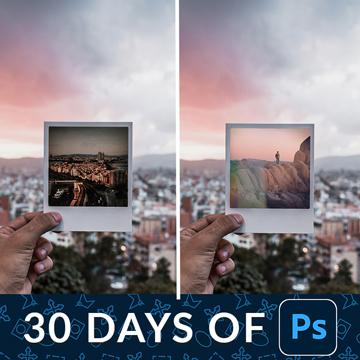
Free Photoshop Tutorials
Hundreds of full-length tutorials, free to watch, with no account required. Every one is a complete lesson — selections and masking, retouching, compositing, color, type and the newest AI tools.
Create a free account to save favorites and pick up where you left off.





Get Free Tutorials in Your Inbox
- New free tutorials released every single week
- Download the sample images and PSDs for every free tutorial
- Be the first to know when PHLEARN PRO goes on sale, so you always get the best price
No spam — unsubscribe anytime.
PRO Photoshop Tutorials
Longer, deeper courses taught the same way as the free tutorials, plus the practice files, brushes, actions and LUTs used in each lesson so you can edit the same images as the instructor.


Browse by Skill Level
Level 1 · Foundations
Beginner
Four things carry everything else in Photoshop: the interface, layers, selections and masks. Work through 30 Days of Photoshop, then Essential Photoshop Skills, and make sure you can do everything in Create and Use Layer Masks without pausing the video.
Level 2 · Client Work
Intermediate
Once selections and masks are automatic, move into the work clients actually pay for: skin and portrait retouching in Editing Portrait Photography, color and tone in Color Grading, and your first multi-image builds in Intro to Compositing.
Level 3 · Mastery
Advanced
Full creative control — light, perspective, texture and scale all under your command. Start with Advanced Compositing, follow the Magical Compositing learning path, and push further with Visual Effects.
Browse by Topic

Essential Skills
Layers, selections, masks, smart objects and the tools you use every day.

Portrait Retouching
Skin, eyes, hair, dodge and burn, and frequency separation done tastefully.

Compositing
Cutting subjects out cleanly and blending them into a new scene.

Color Grading
Curves, color balance, LUTs and building a look you can repeat.

Visual Effects
Light, smoke, weather, texture and the tricks that sell an impossible image.

AI in Photoshop
Generative Fill, Generative Expand and Select Subject used with control.

Product Photography
Clean backgrounds, reflections, shadows and e-commerce-ready files.

Graphics and Text
Type, layout, shapes and effects for social, print and the web.

Tools and Techniques
Short, focused lessons on one tool or one problem at a time.

Photo Editing
Exposure, contrast, white balance and the everyday fixes that make a photo look finished.
Photographers Who Learned Here
When it comes to learning about all things digital photography, look no further than Aaron and PHLEARN.
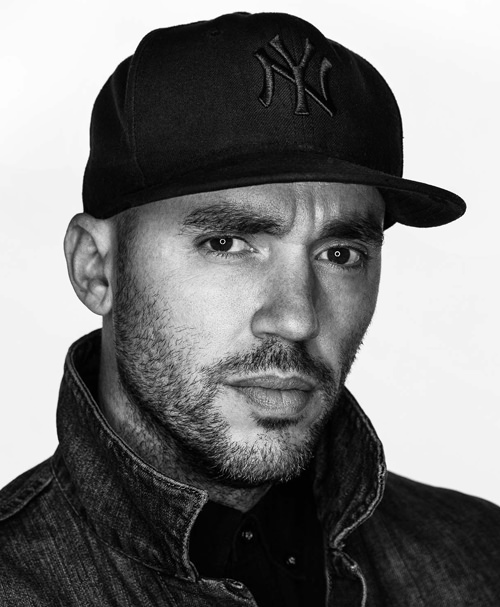 Jeremy CowartPhotographer, Hotelier, Artist
PHLEARN has been such an important part of my career as a photographer. When I was first starting my journey, PHLEARN gave me both the inspiration and the techniques to push my career forward. I still use PHLEARN to brush up on my skills!
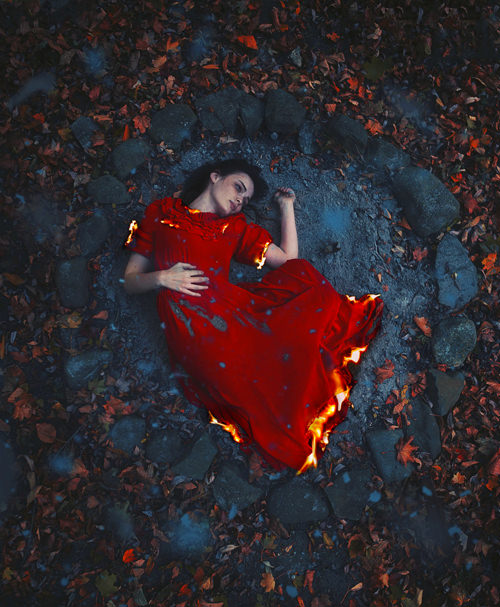 Sarah Ann LorethPhotographer
PHLEARN has made a name for themselves in the photography world for a reason; the tutorials, products, and services that they offer in general are of the highest quality you can find online, and provide enormous value to the community as a whole in so many ways.
 Sean MundyPhotographer
Common Questions
Are these Photoshop tutorials really free?
Yes. Everything in the free section of this page is a complete, full-length tutorial — not a preview. That includes the entire 30 Days of Photoshop series and 30 Days of Lightroom. PRO is a paid membership for people who want the deeper courses and the downloadable practice files.
I have never opened Photoshop. Where should I start?
Start with Day 1 of 30 Days of Photoshop. It walks through the interface from scratch and assumes no prior experience. Do one lesson a day in order — each one builds on the last, and by Day 30 you will have built a full composite.
Do you give me practice images to edit along with?
Yes. Every free tutorial comes with the sample images used in the lesson, and most include the layered PSD so you can open the finished file and see exactly how it was built. Look for the download links in the sidebar of any tutorial page.
You will need a free PHLEARN account to download them, which takes about a minute and costs nothing. Editing the same file we edit on screen is far and away the fastest way to make a technique stick.
Which version of Photoshop do I need?
The 2025 edition of our tutorials is taught in the current release of Adobe Photoshop, and the newest lessons cover tools such as Generative Fill that only exist in recent versions. Most core techniques — layers, masks, selections, curves — work in any version from the last several years.
How much does Photoshop itself cost?
Photoshop is Adobe software, sold as a subscription, and we are not Adobe, so we cannot sell it to you or discount it. Adobe offers it a few ways: the Photography plan, which bundles Photoshop with Lightroom and Lightroom Classic and comes in a 20GB and a 1TB storage tier; a single-app Photoshop plan; and the full Creative Cloud Pro plan. The Photography plan is normally the cheapest route if you are a photographer.
Adobe also runs a seven-day free trial of the full application, which includes Photoshop on the web and converts to a paid membership at the end unless you cancel first. Prices move around and vary by country, so check current pricing on Adobe’s own site rather than trusting a number on a tutorial page.
Everything on this page is about learning the software. Our free tutorials stay free whichever Adobe plan you end up on.
What are generative credits, and do I need them to follow along?
Generative credits are the tokens Adobe spends when you use a Firefly-powered feature such as Generative Fill, Generative Expand or the Generative Workspace. They renew every month on your Adobe billing date and they do not roll over, so an unused balance resets rather than stacking up.
How many you get depends on your Adobe plan. Adobe currently allocates 25 a month on a standard Creative Cloud plan, 1,000 on the Photography plan with 1TB of storage, and 4,000 premium credits plus unlimited standard generations on Creative Cloud Pro. When you run out you can either wait for the monthly reset or buy more from Adobe.
You do not need any credits to watch our tutorials or to download the sample files. You only spend them when you run an AI step yourself, and most of what we teach here is layers, masking and retouching that costs nothing to practice.
Why does one AI model cost 1 credit and another costs dozens?
Photoshop now lets you pick which model runs a generation, and they are not priced the same. A standard Firefly image generation is typically 1 credit when it is included in your plan. Premium and partner models cost considerably more. Adobe documents premium image generation at roughly 10 to 20 credits per output, and video generation at 20 to 100 credits per second depending on resolution.
That is why a month of credits can vanish in an afternoon. Before you generate, check the credit cost shown next to the model you have selected, and keep the standard Firefly model for routine cleanup work like removing a distraction or extending a background. Save the expensive models for the shot where the result actually has to be perfect.
How long does it take to learn Photoshop?
You can be productive in about a month. Thirty days of focused practice will get you comfortable with layers, selections, masking and basic retouching. Mastery of a specialty like high-end retouching or compositing takes longer, which is what the advanced series are for.
Is it still worth learning Photoshop now that AI can edit photos?
Yes, and arguably more than before. AI has taken over a lot of the tedious work: selections that used to take twenty minutes, removing a distraction, extending a frame that was cropped too tight. What it has not done is decide what a good edit looks like.
Generative Fill will happily give you a result that is subtly wrong: the light comes from the opposite side, the skin texture goes plastic, the perspective does not match. Spotting that and fixing it is ordinary Photoshop work, which means masking, layers, blending and color. Those skills also outlast the tools, since the panel you learn today gets redesigned every couple of years but knowing why an edit reads as fake does not expire.
The people getting the most out of AI right now are the ones who already knew how to retouch.
What is the difference between the free and PRO tutorials?
Free tutorials teach a technique end to end. PRO courses are longer, go deeper into decision-making and workflow, and include the sample images, brushes, actions and LUTs used in the lesson so you can follow along on the same files. Compare them here.
How much does PHLEARN PRO cost?
PRO is $12.99 per month, or $99.99 per year — which works out to about $8.33 a month. Both plans include every course, all the practice files, and the full library of actions, presets, and LUTs. You can cancel anytime, and everything free on this page stays free whether you subscribe or not.
Do I need a drawing tablet?
No. Every tutorial on this site can be completed with a mouse or trackpad. A pen tablet makes masking and dodge-and-burn work faster and more precise, but it is a convenience, not a requirement.
Do you teach Lightroom as well?
Yes. Our Lightroom tutorials cover the cataloging and raw-processing half of the workflow, and 10 Days of AI in Photoshop & Lightroom covers the newest AI tools across both applications.
Go Further with PHLEARN PRO.
Unlock Full Sample Files, PSDs, and Hundreds of Masterclasses!
Plans from $8.33/month billed annually, or JOIN PHLEARN PRO2.99 monthly — cancel anytime.

Download full project assets, original PSDs, and RAW images for every lesson
Unlimited access to our complete library of PRO Photoshop & Lightroom courses
Instant 4K Ultra HD streaming on all devices, anytime, anywhere
Full access to our entire library of Photoshop Actions, Presets, and LUTs
Flexible monthly and annual membership plans
Cancel anytime with zero hassle or commitments