Photoshop & Lightroom Workflow Tutorials
Edit faster, stay organized, and stop redoing work. Workflow tutorials for Photoshop and Lightroom on culling, batch editing, presets and actions, Smart Objects, non-destructive editing, and exporting. More than 250 free and PRO video tutorials from Aaron Nace.
What You’ll Learn
Workflow is the difference between a great edit that took all night and a great edit that took twenty minutes. These tutorials are about the habits and tools that make editing repeatable: setting up files so changes are cheap, doing the same thing to a hundred photos at once, and knowing which program to do each job in.
- Non-destructive setup. Smart Objects, adjustment layers, masks, and Blend If, so a client change is a slider move instead of a redo.
- Lightroom for volume. Culling, syncing edits and masks across a shoot, presets, Denoise, and moving between Lightroom and Photoshop without losing anything.
- Automation. Actions, batch processing, LUTs, and the new AI tools that take the grunt work out of masking and clean-up.
- Organization and export. Naming, catalogs, color spaces, sharpening for output, and export settings for print, web, and social.
- Photoshop 2026 features. Object masking, the AI slider, Firefly, and the updated Remove Tool, with an honest verdict on which ones actually save time.
Where to Start
The Lightroom Editing & Workflow collection is the fastest way to speed up a whole shoot. In Photoshop, start with The Ultimate Guide to Smart Objects and the non-destructive editing tutorials, because everything else in this category depends on files that stay editable.
Free and PRO Tutorials
Free tutorials are complete lessons, not previews. PRO tutorials go deeper and longer, and they include the sample images, RAW files, actions, and presets used in the lesson so you can follow along on the exact same file. A PHLEARN PRO membership unlocks every PRO tutorial on the site, including all of the ones in this category.
Frequently Asked Questions
Should I edit in Lightroom or Photoshop?
Cull, correct, and batch in Lightroom; retouch, composite, and do anything that needs layers in Photoshop. Most professional workflows use both, and several tutorials here show the round trip.
What is non-destructive editing?
Editing in a way that never overwrites the original pixels: adjustment layers instead of direct adjustments, masks instead of erasing, Smart Objects instead of flattened filters. It costs nothing up front and saves hours when something changes.
Do actions and presets replace learning the tools?
No, but they multiply what you already know. An action is only as good as the technique inside it, which is why the workflow tutorials teach the manual version first and then show how to automate it.
Where to Go Next
Workflow supports everything else on the site. For the editing itself see Photo Editing and Retouching; for the tools in depth see Tools & Techniques; and for Lightroom-first editors, the Lightroom tutorials and presets.
Speed Up a Whole Shoot
The Lightroom Editing & Workflow collection shows how to cull, sync, and export a full session in one sitting.
On This Page
PHLEARN PRO
Every PRO tutorial in this category, with sample and RAW files, plus the full PRO library.

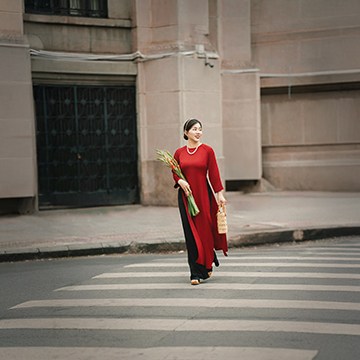
Photoshop on iPhone is here! Quickly enhance photos anywhere! Learn essential editing, color, object removal, and AI expansion.
Photoshop | Photo Editing | Easy | 15 mins | 1 video
1 Sample Image

Master advanced color grading in Lightroom and Camera Raw. Perfect hues, create unique styles, and craft reusable presets with included RAW files. Explore different looks using snapshots!.
Lightroom, Photoshop | Coloring | Advanced | 2.5 hours
8 RAW Sample Images | 1 Sample PSD


Explore AI video with Adobe Firefly! Learn text-to-video and image-to-video, master settings, and craft detailed prompts for stunning creative results.
Adobe Firefly | Workflow | Easy | 30 mins | 1 video
2 Sample Images | 1 Sample PSD





Day 26 is all about Lightroom Mobile! This tutorial introduces the app’s intuitive interface and powerful features. Learn to edit and share stunning photos, all from your phone. We’re even including a RAW file, so you can follow along!.
Lightroom | Workflow | Medium | 30 mins | 1 video
1 Sample Image (RAW File)

Craft extraordinary surreal portraits, entirely by hand in Photoshop! Discover essential compositing techniques, and as a thrilling bonus, learn how to animate your creations with AI.
Photoshop | Compositing | Advanced | 1.75 hours
21 Sample Images | 5 Sample PSDs


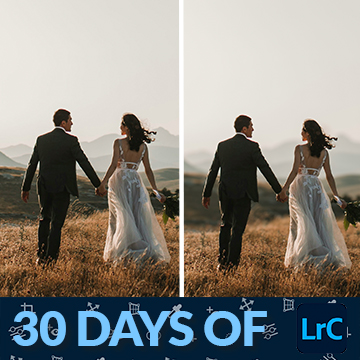





Craft unique Lightroom presets! Day 12 covers adjustments, masking, and color, empowering you to create and share your own unique presets. We’re even including 2 RAW files and a Lightroom preset to help you practice your new skills.
Lightroom | Workflow | Medium | 15 mins | 1 video
2 Sample Images (RAW Files) | 1 Lightroom Preset (XMP File)